Metal Gear Solid V: Ground Zeroes — System Requirements, FPS Estimate & Settings
2014 · Shooter, Action · Kojima Productions · Metacritic 80
Official system requirements
Publisher-published Minimum / Recommended values via RAWG, retrieved 2026-08-21. Real-world performance varies with drivers, resolution and your full build.
| Spec | Minimum | Recommended |
|---|---|---|
| OS | Minimum: | Recommended: |
| Processor | OS: Windows Vista SP2 x64, Windows 7 x64, Windows 8 x64 (64-bit OS Required) | OS: Windows 7 x64, Windows 8 x64 (64-bit OS Required) |
| Memory | Processor: Core i5-4460 (3.20GHz) or better *Quad-Core or better | Processor: Core i7-4790 (3.60GHz) or better *Quad-Core or better |
| Graphics | Memory: 4 GB RAM | Memory: 4 GB RAM |
| Storage | Graphics: NVIDIA GeForce GTX 650 (2GB) or better (DirectX 11 graphics card required) | Graphics: NVIDIA GeForce GTX 760 (DirectX 11 graphics card required) |
| DirectX | DirectX: Version 11 | DirectX: Version 11 |
| Item 7 | Storage: 4 GB available space | Storage: 4 GB available space |
| Item 8 | Sound Card: DirectX 9.0c compatible sound card | Sound Card: DirectX 9.0c compatible sound card (Surround Sound 5.1) |
Multi-GPU FPS estimate
Estimated average FPS by GPU at 1080p / 1440p / 4K, derived from Metal Gear Solid V: Ground Zeroes's demand tier (tier 2, Light (entry discrete GPU)) and published TechPowerUp-style relative-performance indices (RTX 4090 = 100), retrieved 2026-08-29. Planning estimates, not benchmarks.
| GPU | 1080p | 1440p | 4K |
|---|---|---|---|
| RTX 4090 | 392 | 259 | 149 |
| RTX 4080 Super | 351 | 232 | 134 |
| RTX 4080 | 338 | 223 | 128 |
| RX 7900 XTX | 375 | 248 | 143 |
| RX 7900 XT | 351 | 232 | 134 |
| RTX 4070 Ti Super | 300 | 198 | 114 |
| RX 7800 XT | 300 | 198 | 114 |
| RTX 4070 Super | 282 | 186 | 107 |
| RTX 4070 | 264 | 175 | 101 |
| RX 7700 XT | 272 | 179 | 103 |
| RTX 3070 | 247 | 163 | 94 |
| RX 6800 XT | 296 | 196 | 113 |
| RTX 4060 Ti | 217 | 143 | 83 |
| RX 6700 XT | 264 | 175 | 101 |
| RTX 3060 | 199 | 131 | 76 |
| RX 6600 XT | 225 | 148 | 85 |
| RTX 2060 | 180 | 119 | 68 |
| GTX 1660 Super | 149 | 98 | 57 |
| RX 580 | 172 | 114 | 65 |
| GTX 1060 6GB | 141 | 93 | 53 |
| GTX 1650 | 112 | 74 | 43 |
| Intel Arc A770 | 228 | 151 | 87 |
| UHD 770 (integrated) | 46 | 30 | 17 |
Method: a game's demand tier maps to a “GPU index needed for ~60 FPS at 1080p”; each GPU's relative index produces an estimate via a diminishing-returns curve, then scaled for resolution. Source: TechPowerUp GPU database (relative performance), 2026-08-29.
Similar games you may tune next
Left 4 Dead 2
2009 · Shooter, Action
Open profile →Half-Life 2
2004 · Shooter, Action
Open profile →BioShock Infinite
2013 · Shooter, Action
Open profile →Borderlands 2
2012 · Shooter, Action
Open profile →BioShock
2007 · Shooter, Action
Open profile →Destiny 2
2017 · Shooter, Action
Open profile →PAYDAY 2
2013 · Shooter, Action
Open profile →DOOM (2016)
2016 · Shooter, Action
Open profile →Optimize Metal Gear Solid V: Ground Zeroes for your hardware
Pick your GPU, CPU, resolution and target refresh rate, then generate a printable settings card with per-preset expectations and upscaler guidance.
Optimize Metal Gear Solid V: Ground Zeroes for your PC
This is a planning estimate derived from the game's demand tier, not a benchmark.
My Metal Gear Solid V: Ground Zeroes Settings Card
Generated at GameFigs on 2026-09-25. Game demand tier: 2/9.
Release & version notes
Official release date: 2014-03-18. Ongoing patches and version history are published by the developer — for the latest patch notes, see the official store or support page. GameFigs summarizes the official release only and does not invent patch dates.
About Metal Gear Solid V: Ground Zeroes
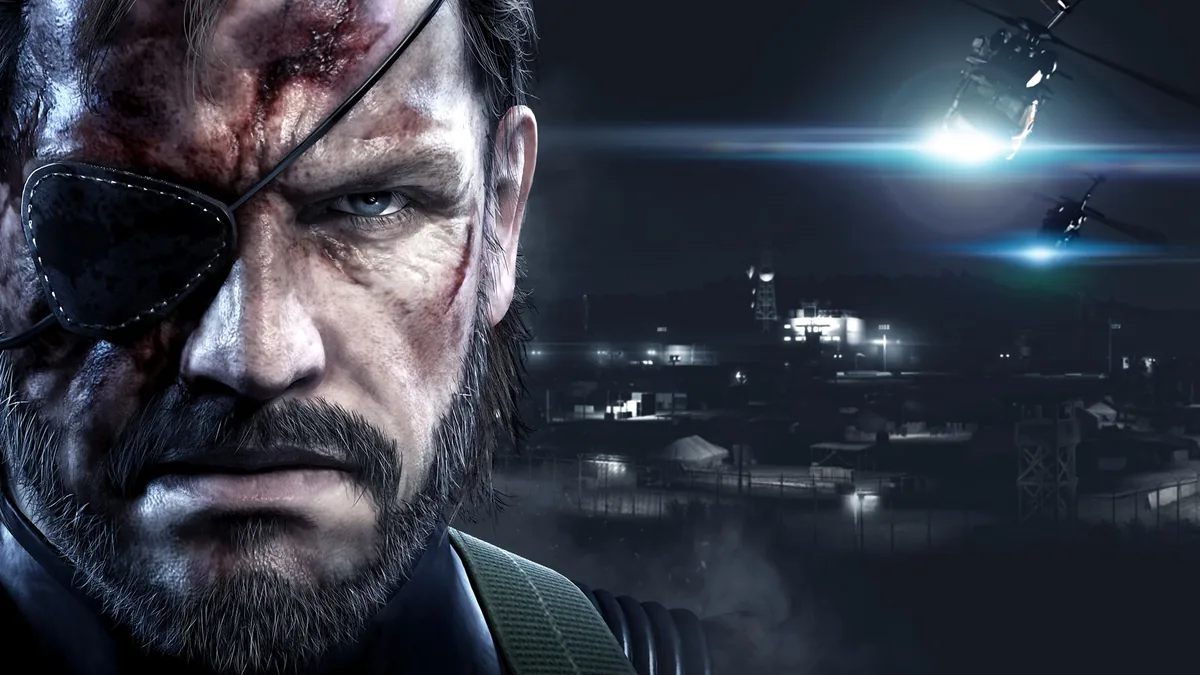
Metal Gear Solid V: Ground Zeroes is a standalone prologue for the main entry of the series, Phantom Pain. As Snake now is the Big Boss, Ground Zeroes follows Peace Walker entry some little time after it. Considering that Paz Ortega Andrade has died, MSF starts to work in different ways when suddenly there is information that Paz is being detained by Camp Omega on Cuba. The situation becomes even worse when Ricardo "Chico" Libre is sent for rescue and being captured as well. Snake is now headed to Cuba to save them or confirm their deaths.
Still being a stealth action game, spotting system has been changed in Ground Zeroes, as now there is now meters, and the player must navigate through his eyes and ears to understand if he's been spotted. Reflex Mode is also added to the game. When the player is spotted, there is a little gap of time in slow-motion to kill the enemy before he alarms everyone around him. As well now the iDroid system in the game can be connected to your phones in order to have a look at an in-game map.
Sources & attribution
- Game data (release year, genres, platforms, system requirements, description, cover art) via RAWG.io, retrieved 2026-08-21.
- GPU relative-performance indices via TechPowerUp GPU database (relative performance), retrieved 2026-08-29.
- FPS estimates on this page are GameFigs planning estimates from the demand-tier + GPU-index model — not benchmark results.
How the Metal Gear Solid V: Ground Zeroes optimization card & FPS estimate are computed
Each game is scored on a 0–9 demand tier from its published PC requirements (and a year/genre fallback when requirements are absent). The FPS estimate compares your selected GPU's relative-performance index against the tier's required index using a diminishing-returns curve, then scales for resolution. The settings card maps the demand tier and your hardware to a starting preset, an FPS band and an upscaler recommendation. All outputs are planning guides — verify in-game with the built-in benchmark when available.
Tools for Metal Gear Solid V: Ground Zeroes
Check your hardware against this title, then set your gear up for it.